Smart Home Security Solutions for a Safer and More Connected Home
Discover how smart cameras, intelligent door locks, motion sensors, and connected security systems can help protect your property while making everyday life easier.

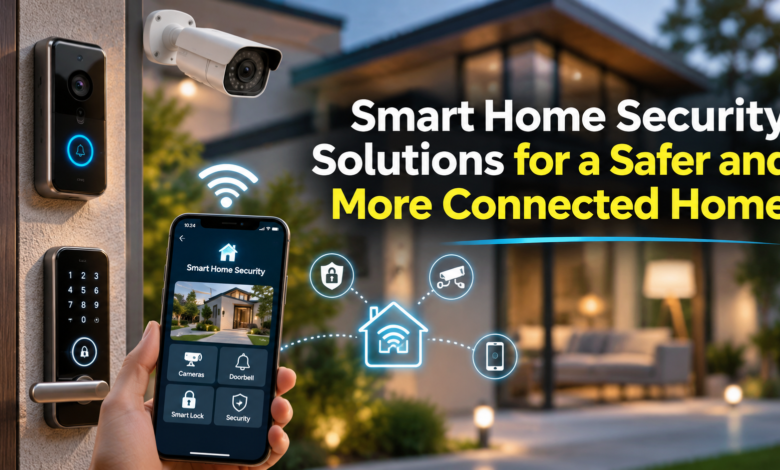
Introduction
Home security has changed. A simple lock and a traditional alarm are no longer the only ways to protect your property. Today, smart home security solutions give homeowners more control over their homes, even when they are miles away.
Imagine receiving a notification when someone approaches your front door. Or checking your security cameras while travelling, using nothing more than your smartphone.
That’s what connected home security can offer.
From smart doorbells to intelligent alarm systems, modern technology makes it easier to monitor your surroundings, manage access, and respond to unexpected activity.
But choosing the right equipment matters. A poorly secured smart device can introduce risks of its own.
This article explains how smart home security works, which devices are worth considering, and how to build a connected security system that protects both your home and your privacy.
What Are Smart Home Security Solutions?
Smart home security solutions are internet-connected or locally networked devices designed to monitor, protect, and manage access to a residential property.
Unlike traditional alarm systems, many smart security products allow homeowners to receive notifications, view camera footage, and control equipment through mobile applications.
Some systems also support automation, meaning different devices can work together without requiring manual action every time.
For example, an outdoor motion sensor might trigger a security light, start a camera recording, and send an alert to your phone.
Common Smart Home Security Devices
| Security Device | Main Purpose |
|---|---|
| Smart Security Cameras | Monitor indoor and outdoor activity |
| Video Doorbells | See and communicate with visitors |
| Smart Door Locks | Manage access without traditional keys |
| Motion Sensors | Detect movement in selected areas |
| Smart Alarm Systems | Warn occupants about possible intrusions |
| Door and Window Sensors | Detect when an entrance opens |
| Smart Security Lighting | Illuminate outdoor areas when movement is detected |
| Smart Home Hubs | Connect and manage compatible devices |
The right combination depends on your property, lifestyle, and security needs.
Why Smart Home Security Is Becoming More Popular
Modern households want more than basic protection.
They want convenience, remote access, and better awareness of what’s happening around their property.
Smart security systems can address these needs through several useful features.
Remote Monitoring From Anywhere
One major advantage is the ability to check your home while you’re away.
Whether you’re at work or travelling, compatible security cameras let you view live footage through a smartphone application.
You can check whether a delivery has arrived, see who is standing outside, or investigate an unexpected notification.
Remote monitoring requires the relevant connectivity and service features to be available.
Real-Time Security Alerts
Traditional alarms usually make noise when triggered.
Smart systems can go further by sending notifications directly to connected devices.
Depending on the equipment, these alerts may relate to detected movement, an open door, an attempted entry, or an activated alarm.
Fast notification gives homeowners an opportunity to assess the situation and contact emergency services when necessary.
Better Control Over Home Access
Physical keys can be lost, copied, or misplaced.
Smart locks offer alternative access methods, including PIN codes, smartphone applications, and temporary digital credentials.
Some models allow homeowners to create separate access codes for family members or trusted visitors.
This can be particularly useful for households that regularly receive deliveries or need to provide short-term access to a property.
Convenient Home Automation
Security equipment can sometimes operate alongside smart lighting and other connected devices.
For example, a homeowner might configure the entrance lights to switch on automatically when an outdoor motion sensor detects activity.
Another routine could activate selected alarms when everyone leaves the house.
These features make home management more convenient, although they depend on device compatibility and correct configuration.
Essential Smart Home Security Devices Worth Considering
There is no single device that protects every part of a home.
A stronger approach combines different types of equipment to address specific security concerns.
1. Smart Security Cameras
Smart cameras are among the most recognisable connected security products.
They allow homeowners to monitor entrances, driveways, gardens, and other selected areas.
Depending on the model, features may include:
- High-definition video recording
- Night vision
- Motion detection
- Two-way audio
- Smartphone notifications
- Local or cloud video storage
- Person detection
Outdoor cameras should be suitable for the conditions in which they will operate.
For example, a camera installed near an exposed entrance should have an appropriate weather-resistance rating.
Camera placement also matters. Position devices to cover relevant areas without unnecessarily recording neighbouring properties or private spaces.
2. Smart Video Doorbells
A smart video doorbell combines a doorbell with a camera and communication features.
When someone approaches or presses the button, compatible models can notify the homeowner.
You may be able to see the visitor and speak to them without opening the door.
This is useful when receiving deliveries or responding to unexpected visitors.
Some devices also record motion events, although storage capabilities and subscriptions vary between manufacturers.
3. Smart Door Locks
Smart locks allow people to unlock doors using electronic credentials.
Depending on the product, these might include a smartphone, keypad, fingerprint reader, or physical backup key.
Certain models support temporary access codes and activity records.
Still, convenience should never replace basic physical security.
Choose a lock that is suitable for your door, meets relevant local security requirements, and provides an appropriate backup method during battery or connectivity failures.
4. Smart Motion Sensors
Motion sensors help detect movement around selected areas of a property.
They can be installed in hallways, entrances, garages, or outdoor spaces.
When connected to other compatible devices, a sensor may trigger an alarm, switch on lighting, or activate camera recording.
Placement and sensitivity settings are important.
Pets, moving branches, and environmental conditions can sometimes produce unwanted alerts.
5. Smart Alarm Systems
Smart alarms bring multiple security components into one connected system.
A typical setup may include a control hub, door sensors, motion detectors, and an audible siren.
More advanced configurations may offer professional monitoring, cellular backup, or integration with additional equipment.
The most useful feature is not necessarily the loudest alarm.
It is the ability to recognise a possible security event and provide a dependable warning.
6. Smart Security Lighting
Lighting is a practical addition to outdoor security.
Motion-activated lights can illuminate driveways, pathways, and entry points when movement is detected.
Some systems also support schedules and remote control.
Good lighting can improve visibility for residents and security cameras, particularly during the evening.
How Smart Home Security Systems Work Together
The biggest advantage of a connected security setup is the ability to coordinate several devices.
Instead of operating independently, compatible equipment can communicate through a central application, hub, or automation platform.
Consider a simple evening routine.
When the household activates security mode, selected door sensors become active, outdoor cameras begin monitoring events, and motion-activated lighting remains ready.
If an exterior door opens unexpectedly, the system can trigger a warning and send an alert to the homeowner.
However, not every smart security product works with every platform.
Some systems require manufacturer-specific hubs, subscriptions, or internet connections. Others support local automation.
Check compatibility before purchasing several devices from different brands.
Smart Home Security vs Traditional Security Systems
Both approaches can provide useful protection.
The main differences involve connectivity, control, monitoring options, and maintenance.
| Feature | Smart Security System | Traditional Security System |
|---|---|---|
| Mobile App Access | Commonly available | Depends on the system |
| Remote Camera Viewing | Often supported | May require additional equipment |
| Automated Device Integration | Available on compatible platforms | Usually more limited |
| Real-Time Phone Alerts | Common feature | Depends on monitoring equipment |
| Internet Dependency | Varies by product | Often less dependent on internet |
| Installation | DIY or professional | Often professionally installed |
| Cybersecurity Maintenance | Important | Depends on connectivity |
Traditional security systems can remain attractive for homeowners who prefer simple operation and limited internet connectivity.
Smart systems offer greater flexibility, but their connected features require ongoing attention to cybersecurity and software maintenance.
How to Choose the Right Smart Home Security Solution
Buying the most expensive equipment does not automatically produce the safest home.
The better approach is to identify your property’s security needs first.
Understand Your Property
Start by checking the main entrances, windows, outdoor areas, and other access points.
A small apartment may only need a video doorbell, a few door sensors, and an indoor alarm.
A larger detached home might benefit from outdoor cameras, driveway lighting, and additional motion sensors.
Focus spending on genuine risks rather than unnecessary gadgets.
Look for Reliable Connectivity
Some smart security products rely heavily on Wi-Fi.
Others use dedicated wireless protocols, wired connections, or cellular services.
Before buying, confirm that your network reaches the intended installation areas.
For important security functions, consider devices that can continue operating locally when internet access becomes unavailable.
Battery backup and cellular connectivity may also be useful, depending on the system.
Check Privacy and Data Protection
A security camera should protect your property, not expose your personal life.
Research how a manufacturer handles video recordings, account information, and remote access.
Prefer products offering strong encryption, clear privacy controls, and ongoing security updates.
Also check whether recordings remain on the device or are uploaded to cloud servers.
Consider Long-Term Costs
The purchase price is only part of the overall cost.
Some security systems charge ongoing fees for video history, cloud storage, professional monitoring, or additional features.
Compare the complete cost before making a decision.
A low-cost camera with an expensive subscription may not be the most economical option over several years.
How to Keep Your Smart Home Security System Secure
Connected devices bring convenience, but they can also become entry points for cybercriminals.
The US Federal Trade Commission recommends protective measures such as strong passwords, encryption, software updates, and secure home networks.
Here are practical steps every homeowner should consider.
Use Strong and Unique Passwords
Avoid default usernames and passwords.
Create unique credentials for security cameras, routers, smart locks, and connected accounts.
A password manager can help keep those credentials organised.
Enable Two-Factor Authentication
When supported, activate two-factor authentication for security applications and cloud accounts.
This adds another verification step when someone attempts to sign in.
Keep Firmware Updated
Manufacturers release firmware updates to fix software bugs and security weaknesses.
Enable automatic updates where supported and regularly check whether devices still receive security support.
Protect Your Wi-Fi Network
Your home router connects many smart devices to the internet.
Use WPA3 security where available, or WPA2 when necessary, and set a strong router administration password.
A separate network for smart devices can also reduce the risk of one compromised device gaining easy access to other household equipment.
Review Privacy Settings
Check which users can access camera feeds and recordings.
Disable unnecessary features, remove accounts that no longer need access, and avoid placing cameras in highly private areas.
The goal is simple: maintain control over who can see and manage your security devices.
Common Mistakes to Avoid When Installing Smart Security
Even good equipment can perform poorly when installed incorrectly.
A common mistake is placing cameras too high or too far from the area that needs monitoring. The camera may capture movement without recording enough detail to identify what happened.
Another issue is relying entirely on internet access.
If a router stops working or the connection fails, some remote security features may become unavailable.
Homeowners should also avoid ignoring low-battery notifications and leaving outdated devices connected indefinitely.
Finally, don’t assume a smartphone alert guarantees immediate protection.
Notifications can be missed, delayed, or affected by connectivity problems.
A well-planned security setup combines technology with strong doors, reliable locks, sensible routines, and a clear emergency plan.
Can Smart Home Security Help Reduce Energy Use?
Some connected devices can contribute to better energy management.
Motion-based lighting is one example.
Instead of leaving outdoor lights switched on throughout the night, compatible sensors can activate them only when needed.
Connected systems may also allow homeowners to schedule lighting or switch off unnecessary equipment remotely.
The actual energy savings depend on device power consumption, settings, and household usage.
Home security should remain the main priority, with energy management treated as an additional benefit.
Are Smart Home Security Solutions Suitable for Renters?
Yes. Some connected security products are suitable for rental properties.
Battery-operated cameras, wireless door sensors, and portable alarm systems may be installed without significant structural changes.
However, renters should check their tenancy agreements and obtain any required permission before drilling, changing locks, or installing permanent equipment.
Privacy rules also apply.
Indoor cameras should be positioned responsibly, and outdoor recording should comply with applicable local requirements.
Portable systems can be particularly useful because they may be easier to remove when moving home.
What Does the Future Hold for Smart Home Security?
Smart security technology continues to develop.
On-device processing, improved motion detection, and more capable automation are changing how connected security products operate.
Some cameras can already distinguish between people, vehicles, animals, and general movement, depending on their software and hardware.
This can help reduce unnecessary notifications.
Greater compatibility between connected home platforms may also make certain installations easier to manage.
However, more advanced technology does not remove the need for responsible data handling, secure software, and reliable physical protection.
Homeowners should judge new features by their practical usefulness rather than marketing claims alone.
Final Thought
A safer home doesn’t always need a complicated security system.
Sometimes, a reliable camera, a well-positioned motion sensor, and strong entrance locks provide a sensible starting point.
Smart home security solutions can improve awareness, simplify access management, and help homeowners respond to unusual activity.
The most effective setup is one that fits the property, works reliably, respects privacy, and remains secure over time.
Choose carefully. Configure properly. Keep everything updated.
Good home security is about protection you can depend on, not simply having more connected devices.
Frequently Asked Questions
1. What are smart home security solutions?
Smart home security solutions are connected devices such as cameras, doorbells, sensors, alarms, and electronic locks that help homeowners monitor and protect their property.
2. Are smart home security systems safe?
They can provide useful protection when installed and maintained correctly. Their safety also depends on secure passwords, software updates, encryption, and responsible account management.
3. Can smart security cameras work without Wi-Fi?
Some cameras support local recording through memory cards, network recorders, or wired connections. Remote viewing and notifications may require internet connectivity.
4. Are smart locks better than traditional locks?
Smart locks offer convenient access options, but physical security quality varies. A well-made traditional lock can still provide excellent protection. Choose based on the lock’s security rating, reliability, and installation requirements.
5. Do smart home security systems require monthly subscriptions?
Not always. Some products offer local storage and basic functions without recurring fees. Others require subscriptions for recording history, cloud services, or professional monitoring.
6. Can hackers access smart home security devices?
Poorly secured devices can be vulnerable to unauthorised access. Strong passwords, two-factor authentication, updates, and encrypted connections help reduce this risk.
7. What is the best smart home security setup for beginners?
A practical starting point is a reliable video doorbell or outdoor camera, door and window sensors, and a basic alarm system. Additional equipment can be added as needs become clearer.
8. What happens to smart home security during a power cut?
This depends on the equipment. Battery-powered devices may continue functioning, while mains-powered systems can stop unless they have backup power. Internet-dependent features may also become unavailable.