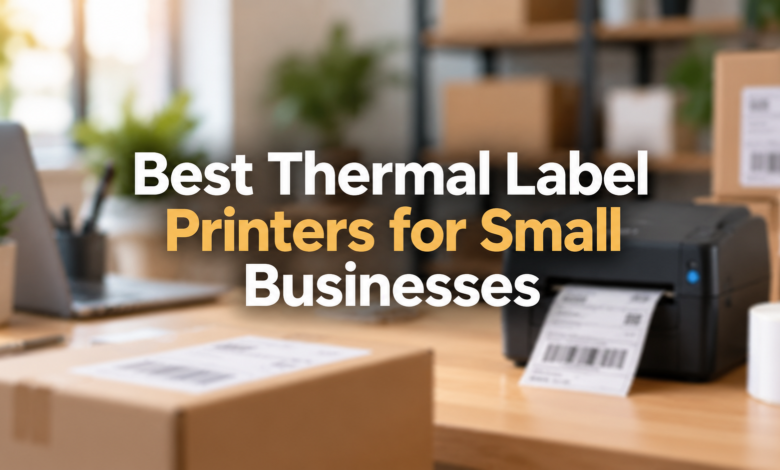
Best Thermal Label Printers for Small Businesses in 2026
Find reliable thermal label printers for shipping, product stickers, barcodes, and everyday business work without spending money on ink or toner.

Introduction
Running a small business takes effort. Every order needs attention. Packaging also takes time.
Writing shipping details by hand? That’s slow.
A thermal label printer can help. It prints clear labels within seconds. No regular ink is needed.
But printers aren’t all equal.
Some work better for shipping. Others handle product barcodes well. A few offer wireless printing.
Choosing the right one matters.
This article compares the best thermal label printers for small businesses in 2026, including their features, limitations, and everyday uses.
Quick Facts About Thermal Label Printers
| Feature | Details |
|---|---|
| Product type | Thermal label printer |
| Main purpose | Shipping, barcode, and product labels |
| Printing methods | Direct thermal and thermal transfer |
| Common shipping label size | 4 × 6 inches |
| Common resolutions | 203 dpi and 300 dpi |
| Ink required | No conventional ink or toner |
| Common connections | USB, Wi-Fi, Bluetooth, Ethernet |
| Suitable businesses | Ecommerce, retail, offices, warehouses |
| Key buying factors | Label width, software, supplies, connectivity |
| Main benefit | Quick, repeatable label printing |
| Main limitation | Heat-sensitive direct thermal labels can fade |
Why Small Businesses Need Thermal Label Printers
Orders can pile up quickly.
A small online store might ship several packages daily. A busy seller may handle hundreds.
Every package needs a label.
Printing labels on ordinary office paper means cutting them out and attaching them with tape.
That takes extra work.
Thermal printers handle this differently.
They print directly onto compatible adhesive labels. Most desktop shipping models take little space.
The benefits are practical.
- Print shipping labels quickly.
- Avoid conventional ink and toner.
- Create readable product barcodes.
- Reduce manual cutting and taping.
- Keep packaging stations organised.
- Print repeated label formats.
The right printer makes daily packing easier.
Still, the cheapest model isn’t always the smartest purchase. Label costs and software support matter too.
1. Rollo Wireless X1040 – Best for Online Sellers
The Rollo Wireless X1040 is a strong choice for ecommerce businesses.
It supports wireless printing through Wi-Fi. Users can also print through USB from a computer.
Its 203 dpi resolution suits ordinary shipping labels.
The printer supports label widths from approximately 1.57 to 4.1 inches.
That includes common 4 × 6-inch shipping labels.
Main Features
- Direct thermal printing
- 203 dpi resolution
- Wi-Fi and USB connectivity
- Apple AirPrint support
- Compatible label width from 1.57 to 4.1 inches
- Printing support for common ecommerce label formats
What Makes It Useful?
Many sellers work across devices.
Sometimes orders arrive on a laptop. Other times, a phone is more convenient.
Rollo supports printing from multiple device types, though the printing method differs by device.
For example, iPhones can print compatible PDFs through AirPrint. Android printing uses Rollo’s supported app workflow.
Possible Drawbacks
The initial cost may feel high.
Also, its wireless printing uses Wi-Fi. Bluetooth is used for initial setup rather than ordinary Bluetooth label printing.
Best for: Shopify stores, Etsy sellers, eBay businesses, and regular online shipping.
2. Brother QL-1110NWB – Best for Office and Shipping Labels
Brother makes printers for many workplace needs.
The QL-1110NWB offers several ways to connect.
It supports USB, Wi-Fi, Ethernet, and Bluetooth.
That gives businesses more flexibility.
Its 300 dpi resolution produces sharp text and barcodes.
The printer supports a maximum print width of about four inches.
Main Features
- 300 dpi printing
- Direct thermal technology
- USB connectivity
- Wi-Fi networking
- Bluetooth support
- Ethernet connection
- Automatic label cutter
- Brother DK label rolls
Why Choose This Printer?
Imagine a small office.
One employee prints addresses. Another handles outgoing parcels.
A printer with network connections can fit this kind of workplace, provided the software and devices are properly configured.
The automatic cutter is useful too.
It helps separate printed labels without manual cutting.
Possible Drawbacks
Brother’s DK roll format needs attention.
Buyers should check compatible labels and ongoing supply prices before purchasing.
Best for: Offices, small warehouses, retail counters, and businesses printing different label sizes.
3. Zebra ZD421 – Best for Retail and Warehouse Work
Some businesses need more than shipping labels.
They print inventory tags. They track stock. They label shelves and equipment.
That’s where the Zebra ZD421 becomes interesting.
It offers several configurations.
Buyers can choose direct thermal or thermal-transfer versions.
That choice matters.
Thermal-transfer printing can be better for labels that need longer-lasting print, provided suitable ribbons and label materials are used.
Main Features
- 203 dpi or 300 dpi configurations
- Four-inch printer class
- Direct thermal models
- Thermal-transfer models
- USB connection
- Optional wireless connectivity
- Optional label cutter or dispenser
- Barcode and inventory applications
What Makes It Different?
The ZD421 suits structured business workflows.
A retail shop may need product labels. A warehouse may print stock identification codes.
Zebra also provides software and configuration tools for business printing.
Possible Drawbacks
It takes more planning.
Different versions have different features. Wireless access, print technology, and accessories must be checked against the exact model.
Best for: Retail shops, stockrooms, warehouses, and businesses requiring durable identification labels.
4. DYMO LabelWriter 5XL – Best for Sharp Shipping Labels
The DYMO LabelWriter 5XL focuses on practical desktop label printing.
It uses direct thermal technology.
Its 300 dpi resolution provides clear text and barcode output.
The printer supports labels up to four inches wide.
It also includes automatic label recognition.
Main Features
- 300 dpi resolution
- Direct thermal printing
- Four-inch label printing
- USB connection
- Ethernet LAN
- Automatic label recognition
- DYMO Connect desktop software
Why Businesses Like This Format
Checking label sizes manually gets annoying.
DYMO’s label recognition feature can identify the compatible roll loaded into the printer.
This helps users check label information from the software.
The printer also suits ordinary business address labels.
Possible Drawbacks
Label compatibility is restricted.
The LabelWriter 5XL uses compatible DYMO-branded LabelWriter rolls.
That may affect long-term running costs.
Best for: Businesses wanting sharp address labels, parcel labels, and a wired desktop setup.
5. MUNBYN RealWriter 403B – Best Budget Bluetooth Option
Starting a business costs money.
Not everyone needs an expensive printer.
The MUNBYN RealWriter 403B offers a simpler entry point.
It supports Bluetooth and USB printing.
The resolution is 203 dpi.
That’s enough for many ordinary shipping labels.
Main Features
- 203 dpi resolution
- Bluetooth connectivity
- USB connectivity
- Direct thermal printing
- Label widths from 40 to 108 mm
- Manufacturer-rated speed of 150 mm per second
- Mobile and desktop device support
Why It Makes Sense
This printer suits sellers working from home.
It can handle ordinary parcel labels without taking up much desk space.
Its Bluetooth connection may suit users who prefer printing through a phone or tablet.
Still, check the required app.
Different operating systems may use different printing methods.
Possible Drawbacks
There is no standard Wi-Fi connection listed for this model.
Also, printing directly from some marketplace apps may require downloading a label file first.
Best for: New ecommerce sellers, home businesses, and small packing stations.
Quick Comparison of the Best Thermal Label Printers
| Printer | Resolution | Connection | Best Use |
|---|---|---|---|
| Rollo X1040 | 203 dpi | Wi-Fi, USB | Online shipping |
| Brother QL-1110NWB | 300 dpi | USB, Wi-Fi, Bluetooth, Ethernet | Office labels |
| Zebra ZD421 | 203/300 dpi | USB, optional wireless | Retail and warehouse |
| DYMO LabelWriter 5XL | 300 dpi | USB, Ethernet | Shipping and addresses |
| MUNBYN 403B | 203 dpi | Bluetooth, USB | Budget ecommerce |
These are manufacturer specifications, not results from independent hands-on testing.
How Do Thermal Label Printers Work?
The process is simple.
A thermal printer uses heat to create printed text or images.
But there are two main types.
Direct Thermal Printing
Direct thermal printers use special coated labels.
The printhead applies heat to the label surface.
That creates the printed image.
There is no conventional ink cartridge.
Most shipping label printers use this method.
The drawback? Heat and sunlight can affect the print over time.
Thermal-Transfer Printing
Thermal-transfer printers work differently.
They use a heated ribbon to transfer an image onto compatible label material.
This method can provide better durability for certain applications.
It is useful for some equipment labels, stock identification, and long-term product tracking.
However, ribbons add another supply cost.
What to Check Before Buying a Thermal Label Printer
A printer may look perfect online.
But check the specifications first.
1. Check Label Size
Many shipping workflows use 4 × 6-inch labels.
Not every label printer supports that size.
Some models only print narrow address or product labels.
Check the maximum print width.
2. Look at Print Resolution
Resolution affects print detail.
A 203 dpi printer works for many standard shipping labels.
A 300 dpi printer can produce finer text and more detailed barcodes.
The better choice depends on your label design.
3. Check Device Compatibility
Do you print from Windows?
Maybe you use a Mac.
Or perhaps your business runs from an iPhone.
Check supported devices and software.
Wi-Fi support does not automatically mean that every phone or app can print directly.
4. Compare Label Costs
The purchase price tells only part of the story.
Some printers accept several compatible label brands.
Others require specific media.
Check the cost of replacement rolls.
A small price difference can grow with repeated orders.
5. Consider Your Daily Orders
A new seller may print only a handful of labels.
A warehouse might print hundreds.
Think about your actual workload.
Check printing speed, roll capacity, reliability, and the manufacturer’s recommended usage.
6. Read the Warranty Terms
Printers need maintenance.
Printheads can wear over time.
Look at warranty coverage, available spare parts, and technical support in your country.
Are Thermal Label Printers Cheaper Than Regular Printers?
They can be.
But the answer depends on use.
A standard inkjet printer needs ink. It may also require paper and adhesive tape for shipping labels.
A direct thermal printer avoids conventional ink and toner.
You still purchase thermal labels.
The printer itself also costs money.
For businesses printing large numbers of labels, the reduced cutting and taping can be useful.
Let’s consider a simple example.
Suppose your business prints 2,000 labels monthly.
| Cost per label | Monthly label cost |
|---|---|
| $0.02 | $40 |
| $0.04 | $80 |
| $0.06 | $120 |
These are example calculations rather than current supplier prices.
They show why label costs matter.
Always calculate your own expenses.
Which Thermal Label Printer Should You Choose?
Different businesses need different things.
For regular online shipping: Rollo X1040 is a strong option because of its Wi-Fi printing and label-width flexibility.
For office use: Brother QL-1110NWB provides several connection methods and an automatic cutter.
For warehouse inventory: Zebra ZD421 gives buyers a choice between direct thermal and thermal-transfer printing.
For sharp desktop labels: DYMO LabelWriter 5XL provides 300 dpi printing and label recognition.
For smaller budgets: MUNBYN RealWriter 403B offers 203 dpi printing with Bluetooth and USB.
The right choice starts with your daily work.
Common Mistakes to Avoid
A cheap printer can seem attractive.
But hidden problems happen.
Here are mistakes worth avoiding:
- Buying a printer without checking label width.
- Assuming every model supports wireless printing.
- Ignoring software compatibility.
- Purchasing unsuitable label rolls.
- Expecting direct thermal labels to last indefinitely.
- Comparing advertised speeds without checking label dimensions.
- Forgetting replacement supply costs.
A quick compatibility test can prevent trouble.
Try a sample shipping label before committing to a large order of supplies.
How to Maintain a Thermal Label Printer
Thermal printers need some care.
Dust can affect print quality.
Adhesive residue may also collect around the printhead or rollers.
Basic maintenance helps.
Use the manufacturer’s recommended cleaning method. Keep unsuitable materials away from the printhead.
Store label rolls properly.
Avoid excessive heat and direct sunlight, especially with direct thermal labels.
If barcodes print poorly, check the label stock and printer settings before assuming the machine is damaged.
Final Thought
Choosing a thermal printer shouldn’t be complicated.
Start with your business needs.
Check label sizes. Compare connection options. Review the price of supplies.
For online sellers, Rollo X1040 is worth considering. Brother suits mixed office work, while Zebra offers more choices for commercial labeling.
MUNBYN remains an option for buyers with smaller budgets.
A good printer should fit your workflow, print readable labels, and remain affordable to operate.
That’s what matters most.
Frequently Asked Questions
1. What is the best thermal label printer for small businesses?
Rollo Wireless X1040 is a strong choice for online shipping. Brother QL-1110NWB and Zebra ZD421 may suit businesses with different labeling needs.
2. Do thermal label printers require ink?
No conventional ink is required. Direct thermal printers use heat-sensitive labels. Thermal-transfer printers use a special ribbon.
3. Can thermal printers print shipping labels?
Yes. Many models print standard 4 × 6-inch shipping labels. Always check supported dimensions.
4. Which thermal label printer is good for beginners?
MUNBYN RealWriter 403B is one option. It offers Bluetooth and USB printing with 203 dpi resolution.
5. Can I print Shopify and Etsy shipping labels?
Many thermal printers support label files from these platforms. Check label format, operating system, and printing software first.
6. Are thermal label printers expensive to maintain?
They can have low running costs because direct thermal models need no ink or toner. Label supplies and occasional maintenance still cost money.
7. Is 203 dpi good enough for shipping labels?
Yes, for many ordinary shipping labels. A 300 dpi printer may be better for smaller text or detailed barcode designs.
8. How long do thermal labels last?
Their lifespan depends on the material, printing method, heat, sunlight, and storage conditions. Direct thermal prints can fade over time.