Biometrics for Identity Authentication: How Your Body Becomes Your Digital Key
From fingerprint scanning to facial recognition, learn how biometric technology verifies identity, protects digital accounts, and changes the way people access modern services.

Introduction
Passwords are easy to forget. PINs can be stolen. Security questions? Sometimes, the answers are sitting on someone’s social media profile.
That is why biometrics for identity authentication has become an important part of modern digital security.
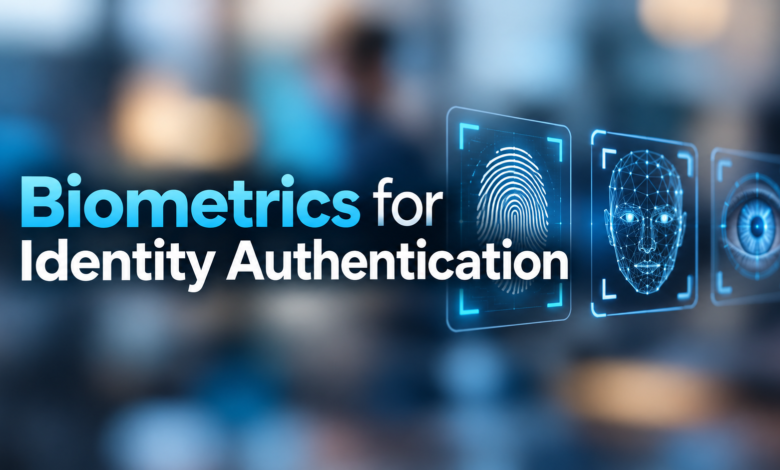
Instead of relying only on something a person remembers, biometric systems use physical or behavioural characteristics to confirm identity.
A fingerprint. A facial scan. Even the unique patterns inside an eye.
The experience often takes just a moment. But behind that quick scan is a technology system designed to distinguish an authorised person from someone attempting to gain access.
For businesses, financial institutions, government services, and everyday smartphone users, biometric authentication offers convenience alongside stronger identity checks.
Still, no security technology is perfect. Understanding how it works, where it helps, and where it can fail is essential.
Quick Facts About Biometric Authentication
| Feature | Details |
|---|---|
| Technology | Biometric identity authentication |
| Main purpose | Verify a person’s claimed identity |
| Common methods | Fingerprint, face, iris and voice recognition |
| Authentication factor | Something you are |
| Popular applications | Smartphones, banking, workplaces and secure facilities |
| Main advantages | Convenience and resistance to credential sharing |
| Main concerns | Privacy, spoofing, incorrect matches and data theft |
| Security techniques | Liveness checks, encryption and secure hardware |
| Related technologies | Passkeys, FIDO2 and multi-factor authentication |
| Current relevance | Digital identity and cybersecurity in 2026 |
What Is Biometric Identity Authentication?
Biometric identity authentication is a security process that checks a person’s identity using measurable physical or behavioural characteristics.
Traditional authentication commonly involves something you know, such as a password, or something you possess, such as a security key.
Biometrics adds another category: something you are.
For example, when someone unlocks a smartphone with their fingerprint, the device compares the new fingerprint scan against a previously enrolled biometric reference.
If the comparison meets the system’s acceptance threshold, authentication succeeds.
The process is generally quick, and users do not need to remember another password.
However, biometric authentication and biometric identification are not exactly the same.
Authentication or verification typically performs a one-to-one comparison. The system checks whether someone matches an identity they have already claimed.
Identification may involve a one-to-many search, comparing a person’s biometric information with multiple stored identities to determine who they might be.
This difference matters when choosing security software and deciding how personal information should be handled.
How Does Biometric Authentication Work?
Most biometric authentication systems follow a similar sequence.
1. Capturing Biometric Information
First, the system collects an initial biometric sample.
A fingerprint reader captures fingerprint features. A camera records facial information. An iris scanner analyses patterns in the eye.
The system needs enough information to create a usable biometric reference.
2. Creating a Digital Template
Next, software extracts distinguishing features from the sample.
These features are converted into a digital representation, commonly called a biometric template.
The template is usually not an ordinary photograph or fingerprint picture.
It contains data intended for future comparisons, although the amount and type of information stored depends on the technology.
3. Storing the Reference
The enrolled template must be protected.
Some systems store biometric references in secure hardware on the user’s device. Other systems may use protected central databases.
Local storage can reduce the need to transfer sensitive biometric information across networks.
4. Comparing a New Sample
When the user requests access, the system captures another biometric sample.
An algorithm compares that sample with the stored reference and calculates whether the similarity satisfies its matching rules.
Biometric matching is generally probabilistic rather than an absolute proof of identity.
5. Accepting or Rejecting Access
If the comparison passes the required threshold and any additional security checks, the system accepts the authentication attempt.
Otherwise, access may be rejected or an alternative verification method may be required.
The full process can take seconds or less, depending on the device and system design.
Different Types of Biometric Authentication
Not every biometric system works in the same way. Each method has different costs, accuracy characteristics, privacy concerns, and practical uses.
Fingerprint Recognition
Fingerprint authentication is one of the most familiar biometric methods.
Specialised sensors capture characteristics of a person’s fingerprint and compare them with an enrolled template.
This method is commonly used for smartphones, employee attendance systems, laptops, and access control.
It is convenient, but sensor quality matters. Wet fingers, injuries, worn fingerprints, or poor-quality scans can interfere with recognition.
Facial Recognition
Facial authentication analyses features of a person’s face to verify identity.
Modern systems may use depth information, infrared sensing, or additional anti-spoofing technology.
Facial authentication is used in compatible smartphones, remote identity verification services, and some building access systems.
Its effectiveness depends heavily on the hardware, software, image conditions, and safeguards against fake presentations.
Iris Recognition
The iris is the coloured structure surrounding the pupil.
Its visible patterns can provide highly distinctive information for biometric matching.
Iris recognition is used in certain specialised identity and access-control environments.
It usually requires suitable imaging equipment and careful capture conditions.
Voice Recognition
Voice biometrics analyses characteristics of a person’s speech.
Some customer service and remote verification systems use voiceprints to help assess whether a speaker matches an enrolled user.
However, background noise, illness, recording quality, and synthetic voice attacks present challenges.
Voice recognition should not be confused with speech recognition, which determines what someone is saying rather than who is speaking.
Behavioural Biometrics
Behavioural biometrics examines patterns in how people interact with technology.
Examples include typing rhythm, touchscreen gestures, mouse movements, and certain interaction habits.
These signals can help systems identify unusual behaviour during a session.
They are often used as supplementary risk indicators rather than the only factor required to authenticate someone.
Where Is Biometric Authentication Used?
Biometric authentication is no longer limited to high-security facilities.
It appears in many services people use every day.
Banking and Financial Services
Financial institutions use biometric technology in mobile banking applications, account access, customer onboarding, and some identity verification processes.
For example, an app may allow a customer to sign in using a fingerprint or facial authentication supported by their smartphone.
Remote onboarding may also compare a live facial image with an identity document.
These are different processes, even though both involve biometric technology.
Smartphones and Personal Devices
Fingerprint and facial unlock features have become familiar ways to access smartphones.
Compatible devices can also allow users to approve certain purchases or unlock locally stored credentials.
In systems using passkeys, biometric verification can unlock a cryptographic credential on the device without sending the biometric information to the website.
Airports and Border Services
Some airports and border authorities use facial recognition or other biometrics as part of identity checks.
The exact process varies by country, programme, and passenger eligibility.
Biometric matching may support document verification, passenger processing, or border-control decisions.
Healthcare Organisations
Hospitals and healthcare providers may use biometric access controls to protect restricted areas, devices, or records.
Such systems need special attention to privacy, accessibility, and reliable fallback procedures.
Workplaces and Office Buildings
Organisations may use biometric readers to restrict access to sensitive rooms or systems.
Biometric attendance systems also exist, although employers must consider whether collecting employees’ biometric information is lawful and proportionate.
Convenience alone does not automatically justify collecting highly sensitive personal information.
Major Benefits of Biometric Identity Verification
Biometric systems offer several advantages when properly designed and operated.
Convenience: Users can authenticate without repeatedly typing long passwords.
Reduced credential sharing: A person cannot casually hand over their fingerprint in the same way they might share a PIN.
Faster access: Fingerprint and facial authentication can make routine device unlocking quicker.
Additional security: Biometrics can support multi-factor authentication when combined with a separate possession factor, such as a protected device.
Improved user experience: Well-designed authentication can reduce friction during repeated sign-ins.
But there is an important distinction.
Biometrics does not automatically make a system phishing-resistant. That protection comes from the wider authentication design, such as correctly implemented FIDO2 passkeys with cryptographic verification.
Security Risks and Limitations
Biometrics sounds secure because each person’s physical features are distinctive.
But that does not mean biometric information is secret or impossible to imitate.
Biometric Data Cannot Easily Be Replaced
A password can be reset after a breach.
A fingerprint cannot simply be changed.
If sensitive biometric information is compromised, the consequences may be long-lasting, especially when organisations reuse related biometric references across systems.
This makes storage, access controls, and data minimisation extremely important.
Spoofing and Presentation Attacks
Attackers may attempt to deceive biometric sensors using artificial fingerprints, photographs, masks, or manipulated recordings.
Modern systems may use presentation attack detection, sometimes called liveness detection, to help determine whether a genuine person is interacting with the sensor.
No detection method should be treated as completely foolproof.
Incorrect Acceptance or Rejection
A biometric system can make two important types of errors.
A false match occurs when the system incorrectly accepts biometric information from another person.
A false non-match occurs when it rejects someone who should have been recognised.
These errors depend on matching thresholds, capture quality, algorithms, and operating conditions.
Research by the US National Institute of Standards and Technology has also identified demographic differences in the performance of facial recognition algorithms.
Privacy and Surveillance Concerns
Biometric recognition may involve deeply sensitive personal information.
Poorly designed systems can create risks involving excessive data retention, unwanted tracking, unauthorised use, and discrimination.
Organisations must explain what information is collected, why it is needed, how long it is retained, and who can access it.
Biometrics vs Passwords: Which Is Better?
Neither approach is automatically superior in every situation.
| Feature | Biometrics | Passwords |
|---|---|---|
| Main requirement | Physical or behavioural characteristic | Memorised secret |
| Convenience | Often fast | Depends on password manager or recall |
| Can be changed | Usually not the underlying characteristic | Yes |
| Main security concern | Spoofing and template compromise | Phishing, reuse and theft |
| Accessibility | Can present sensor-related challenges | Can present memory or input challenges |
| Best use | Device verification and controlled access | Authentication where stronger alternatives are unavailable |
A strong authentication system may combine several methods.
For instance, a passkey can use a device-held private key to prove access to an account while a fingerprint, face scan, or device PIN authorises use of that key.
That is different from sending a fingerprint to a website and asking the website to compare it with a central database.
How AI Is Changing Biometric Security
Artificial intelligence and machine learning play important roles in some modern biometric systems.
Machine learning models can support facial feature comparison, voice analysis, and presentation attack detection.
These systems may become better at handling difficult capture conditions as their models and supporting technology improve.
However, attackers can also use AI-generated media.
Deepfake videos, synthetic voices, and other manipulated content can threaten poorly protected verification services.
That creates an ongoing challenge for developers.
They must distinguish genuine users from fraudulent presentations while keeping false rejections acceptably low.
As AI-generated impersonation becomes more sophisticated, organisations should avoid relying on a single facial image or voice recording for sensitive authentication decisions.
How Businesses Can Implement Biometric Authentication Safely
Businesses considering biometric authentication should assess the security and privacy implications before deploying it.
The following practices can help:
- Define the purpose. Identify the security problem that biometric verification is intended to solve.
- Minimise collection. Avoid collecting or retaining more biometric information than necessary.
- Prefer local verification where appropriate. Device-based methods can reduce central biometric storage risks.
- Use presentation attack detection. Select safeguards that suit the biometric method and threat model.
- Provide alternative access methods. Users need reliable options when biometric authentication fails or is inappropriate.
- Test accuracy and accessibility. Assess performance across realistic conditions and relevant user groups.
- Protect stored information. Apply encryption, restrictive access permissions, retention limits, and incident-response procedures.
- Check legal requirements. Determine the applicable data protection obligations before collecting biometric information.
For organisations handling especially sensitive accounts, biometrics should be considered within a broader identity and access management strategy.
Legal and Privacy Considerations in the UK
UK businesses should pay particular attention to the treatment of biometric information under data protection law.
According to the Information Commissioner’s Office (ICO), biometric data processed for the purpose of uniquely identifying someone falls within special category personal data under the UK GDPR.
Organisations using such information generally need both an appropriate lawful basis under Article 6 and a valid special category condition under Article 9.
Explicit consent may be suitable in some cases, but it is not automatically valid or required in every situation.
A lawful alternative may be necessary where consent cannot be freely given, such as in certain employment relationships.
Organisations may also need a data protection impact assessment, depending on the processing and its risks.
The ICO’s biometric guidance is under review following changes introduced by the Data (Use and Access) Act, so organisations should check the latest official guidance before deployment.
What Will Biometric Authentication Look Like in the Future?
Biometric authentication is likely to remain an important component of digital identity systems.
However, future security improvements are not simply about collecting more fingerprints or facial images.
A major direction is combining convenient local verification with cryptographic authentication.
Passkeys are a good example.
They allow websites and applications to verify possession of a cryptographic credential, while users can unlock that credential through their device’s built-in authentication method.
Other developments may include better attack detection, improved accessibility, stronger protection for stored templates, and clearer privacy controls.
Organisations will also need to account for changing threats and regulatory obligations.
The strongest systems will balance security with people’s ability to understand and control how their identity information is used.
Final Thought
Biometric authentication has changed how people unlock devices, access accounts, and prove their identity.
It can make everyday interactions faster while reducing reliance on passwords.
But convenience should never come at the expense of security or privacy.
Biometric features are personal, difficult to replace, and valuable to protect.
For individuals, the best approach is to choose trusted systems with strong device protection and reliable recovery options.
For businesses, success depends on more than installing a fingerprint reader or facial recognition camera. It requires careful security design, lawful data handling, accurate testing, and respect for the people using the system.
Biometrics can be a powerful part of identity security. It should not be the only part.
Frequently Asked Questions (FAQs)
1. What is biometrics for identity authentication?
It is a method of verifying a person’s identity using physical or behavioural characteristics, such as fingerprints, facial features, or iris patterns.
2. Is biometric authentication safer than passwords?
It can reduce certain password-related risks and improve convenience, but security depends on implementation. Biometric matching alone does not guarantee protection against phishing or spoofing.
3. What are the most common biometric methods?
Fingerprint recognition and facial authentication are familiar examples. Iris scanning, voice recognition, and behavioural biometrics are also used in certain systems.
4. Can hackers steal biometric data?
Yes. Biometric data or stored templates can be compromised if systems are poorly protected. Secure storage, limited access, and careful system design help reduce this risk.
5. What is the difference between biometric identification and authentication?
Authentication checks whether a person matches a claimed identity, usually through a one-to-one comparison. Identification searches for a person’s identity among multiple enrolled records.
6. Is facial recognition always accurate?
No. Results vary with camera quality, lighting, matching thresholds, algorithms, and other conditions. Even advanced systems can produce incorrect matches or rejections.
7. Can biometrics replace passwords completely?
Biometrics can replace routine password entry in certain systems, but secure authentication still requires careful credential management and account recovery. Passkeys can provide passwordless sign-in without relying on biometric matching alone.
8. Is biometric authentication legal in the UK?
It can be lawful, provided organisations meet applicable data protection requirements. Processing biometric data to uniquely identify someone generally requires a lawful basis and an Article 9 special category condition under the UK GDPR.
Topicmint